


PowerShell comes in 4 versions and 4 flavors! Choosing the right one ensures scripts run correctly, the best performance, and future compatibility. Microsoft doesn’t really guide your selection out of the box. How do you choose the right one? How do you know when to use ISE and which ISE to use? Easy – let’s find out how! Continue reading
Tag Archives: PowerShell
New to PowerShell? Your 2 First Steps
This Friday (04/12/13), I am leading an hour long Lunch & Learn session going over the basics of PowerShell. A question I consistently see is, “I am new to PowerShell. What do I need to do first?” Here are the two first things you should do:
Finding the Technical Needle in the Proverbial Haystack (Part 3)
Wrapping up our series on finding technical information quickly, we are going to explore the Group Policy Search service a little bit more. With over 3400 policy settings that can be configured in multiple ways, finding (and understanding) that perfect setting can be a challenge. Because you will likely be hunting these settings in Group Policy Management Console (GPMC), we are going to add a search option that links us back to the Group Policy Search service.
Optimizing GPO Links with PowerShell
Windows Performance Analyzer (WPA) has opened my eyes to a lot of things in the past week! For one, 30 seconds of our 40 second login was being eaten by GPClient. I noticed that we had a lot of GPOs linked to high level OUs even though only a few machines actually needed the policy.
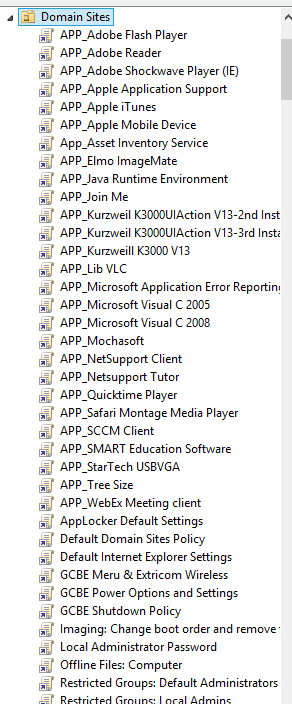
The picture above shows an example. So how can I automatically find out what computers need which policy and then relink the GPO closer? Let’s script it!
Access Denied Active Directory: Deleting Protected Objects
Being the responsible and forward thinking administrator that you are, you enabled Accidental Deletion Protection for your Domain. But now, you are frustrated that you have to jump through a few more hoops just to delete something that you really want to delete! After all, it is kind of silly for the domain administrator to get an Access Denied message in Active Directory!
To fix this, we are going to modify Active Directory Users and Computers and add a “Yes – I am really sure. Please delete this” button.