


At its core, Active Directory is a database designed to store a multitude of objects. Each of these objects have hundreds of attributes, or properties, attached to them. Some attributes are automatically filled when the object is created. For example, the displayName attribute will automatically have the name of the object in it. Other attributes, like the comment field or description are left blank. These blank comments allow you to easily extend the database scope to your own nefarious purposes! 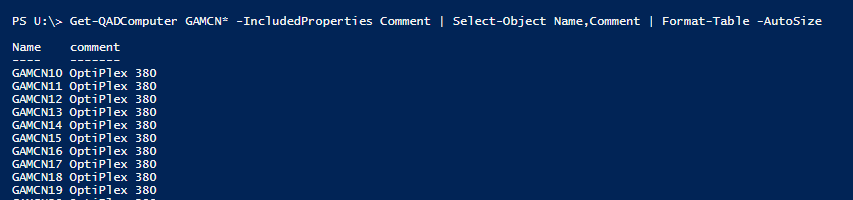 With a few scripts, you can setup Active Directory Inventory for Hardware. With PowerShell, you can then query or manipulate this data in nearly anyway! Continue reading
Tag Archives: Group Policy
Internet Explorer Maintenance Replacements: Migrate Now!
Good riddance to Internet Explorer Maintenance! For years, IE Maintenance has been so easy to setup but so difficult to troubleshoot or remove. The worse things is that it looks like a policy but acts like a preference. Your first step to migrating off IE Maintenance is to get a list of any GPO that has that CSE configured. Your next step is to decide between administrative templates or Group Policy Preferences. Here is what you need to know to get full use out of Internet Explorer Maintenance Replacements:
Continue reading
Gathering Active Directory Mobile Phone Attributes
“How can I get import numbers into the Active Directory mobile phone attribute?” That was the most common question to the Reset User Password with Self Service blog post. While it would be easy to do this with a massive CSV, that method still means you (the IT Administrator) will have to maintain it. Today, I have two automatic ways for you – both delegate the work to the end user and allow you to keep working on cooler things!
Continue reading
Updating Software with Group Policy
Updating software with Group Policy is the most difficult aspect of GPSI. To make things complicated, the software you are upgrading may not have been deployed with Group Policy to begin with! So what is an administrator to do? How can we avoid blowing our legs off when we upgrade? Follow these steps and find out!
CSE Processing Order – Know LSDOU? Learn this too!
One of the first things you are taught with Group Policy is LSDOU. Knowing that, you might think that all GPOs linked at a site is processed, then the domain, and then any OU/sub-OU. Any settings left would be the resultant set of policy, right? Not quite! If you have a complicated GPO with different items set (applications, preferences, security,etc), you need to know a second list. Enter the order of operations, also known as the CSE Processing Order.