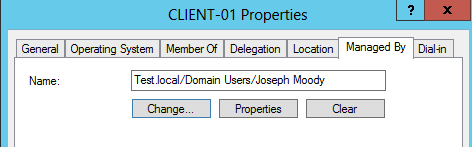
Stop asking “What Computer are You On”! Instead use Active Directory and Group Policy to search for you! In this post, we are going to set Active Directory to automatically record where users login. And when a user calls, Active Directory Users and Computers will let us instantly remote into their computer and will find out what computer a user logged into. In short, you will be able to click on any computer in your domain and see the current logged in user. All within Active Directory Users and Computers!
Category Archives: Walkthrough
These posts, normally longer in length, completely walk through an entire technology or project.
Block the Control Panel with Group Policy and PowerShell
Being able to block the Control Panel with Group Policy is quite easy, simply enable “Prohibit access to Control Panel”. Blocking certain control panel applets, like Sound, is harder! You would think that enabling “Hide specified Control Panel items” would do the trick – that is until you read the description for that setting.
So it isn’t as simple as entering in Volume to block the Volume and Sound applet. To make sure that we block the correct applet, let’s learn the incorrect and correct way for PowerShell to list our Control Panel canonical names.
Multiple Remote Desktop Sessions = A Happy Helpdesk
An update to this post (that covers Windows 10) is now available here.
You are checking the helpdesk and a new problem rolls in. You know the solution but you (the administrator) will need to login. You immediately remote into the machine only to see that the user is showing a presentation or actively using it.
Do you:
A) Call the user and have them log off so that you can start fixing the problem. The problem will get fixed but the user is interrupted for 20 minutes.
B) Wait until later in the day and hope the user isn’t using their computer. The problem will get fixed at the end of the day but the user had to deal with it all day.
C) Use RDP and log into the computer. The user is able to continue the presentation. You are able to fix the problem in the background. Everybody is happy!
The answer is C!
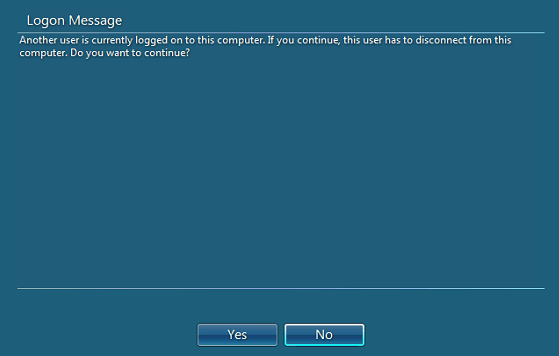
“That’s wrong!”, you say! “Client OSs can’t have concurrent RDP sessions. When you try, you get an ugly message and the current logged in user is logged out!”
If Server can, the client can! All we have to do is trick it! How? Let’s find out! Continue reading
Top 5 Reasons Group Policy Software Installation Is Not Working
Group Policy Software Installation (GPSI) is an effective (and free) way to manage software deployment. After years of use, I have found these five common issues. Let’s walk through the top five issues and the solutions to a fix them! We will figure out why group policy software installation not working!
AppLocker Errors: Troubleshoot Graphically
Applocker is a part of Windows 7/8 Enterprise. It allows an entire organization to eliminate malware. It is seriously that powerful! It works by whitelisting, or allowing, a specific set of trusted executables to run. Once setup, AppLocker is easy to manage. However, if an untrusted executable is ran, you still have to search the event log to gather the AppLocker Errors.
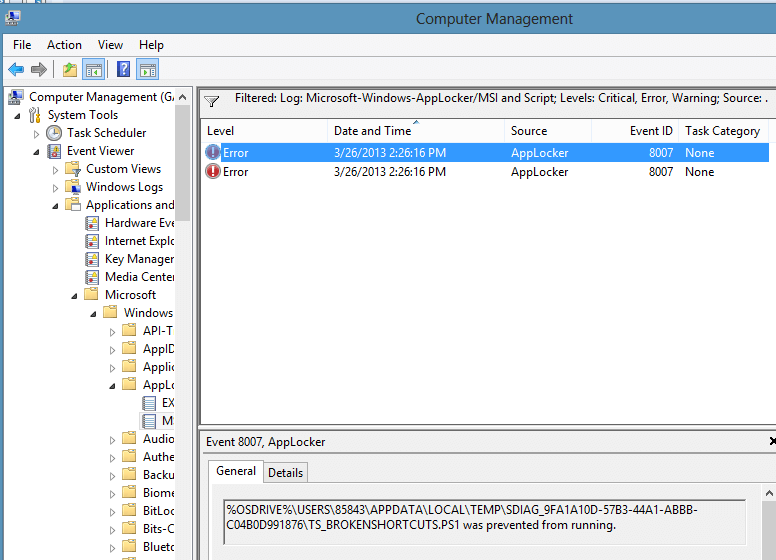
To get a picture of how ugly that event log is, here is a screenshot:
Now imagine opening up the event log for multiple machines! Not fun at all! To help aggregate these logs, we are going to use PowerShell!