


Wrapping up our series on finding technical information quickly, we are going to explore the Group Policy Search service a little bit more. With over 3400 policy settings that can be configured in multiple ways, finding (and understanding) that perfect setting can be a challenge. Because you will likely be hunting these settings in Group Policy Management Console (GPMC), we are going to add a search option that links us back to the Group Policy Search service.
Category Archives: Management
This category contains any management related posts.
Finding the Technical Needle in the Proverbial Haystack (Part 2)
In Part 1 of our Haystack series, we looked at two ways to search TechNet and the Azure App, Group Policy Search. Today, we are going to cover a way to improve the Group Policy Search service and to make it accessible in Windows Explorer.
Installing Fonts with Group Policy and MSIs
User Account Control is really awesome – except for when it isn’t…
Example: UAC is great for stopping viruses (in fact, it might be the best tool Microsoft has introduced). UAC is always great for stopping some legitimate processes. In Vista – a standard user couldn’t refresh their IP address or change their time zone… One legitimate process still being stopped by UAC is the installation of Fonts by standard users.
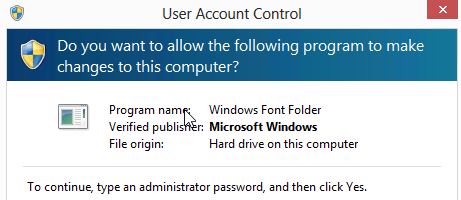
So if you have tried editing security permissions and changing registry settings to allow installation, let me tell you – give up. If you want to deploy fonts in a Vista+ world, you will need to use Group Policy. Here is how:
Firing Up GPMC for the First Time? Your Next 3 Steps are…
Group Policy can be very overwhelming! Very few tools come equipped right out of the box with so much potential (and potential to blow things up). Before you dive too deep into Group Policy, you need to do these three things.
File Server Resource Manager Quota Email: A Better Way
If you have file servers, you most likely run user quotas. Not running quotas would allow users to quickly fill up the entire drive. Quota’s are no guarantee of smooth sailing though. One of our file servers got down to 10% free space. In the same way that Social Security over promises benefits, we over allocated quotas. Too many users and not enough pie! There has to be a better way to manage the File Server Resource Manager quota email because it has some problems that I didn’t like.
With a bit of PowerShell – that old report can be extended. Here is how I wanted to extend it:
- Be able to clearly see what users were at a warning limit (and to be able to lower/raise) the reporting level
- Automate reporting to administrators
- Alert users who reach a warning level
- Allows users to easily delete “low hanging fruit”
Still interested? Well, here is the code: Continue reading