


With every additional option added, complexity is increased. As an example, look no further than Group Policy. Back in 2005, life was simple. Group Policy Preferences didn’t yet exist. The next year, Microsoft bought Desktop Standard. Suddenly, we had two ways of doing things. Though a good thing, choosing between two ways can be difficult at times. Let’s look at the differences.
Category Archives: Active Directory
This category contains any Active Directory related posts.
GPResult Command or RSOP?
From Windows 2000 through Vista, the go to tool for troubleshooting Group Policy on the client was RSOP.msc. The GPResult command was always, at least for me, a second choice in troubleshooting. Yes, GPResult had unique features and was certainly useful at times. But the similar interfaces between RSOP.MSC and the Group Policy Management Editor made troubleshooting so much easier.
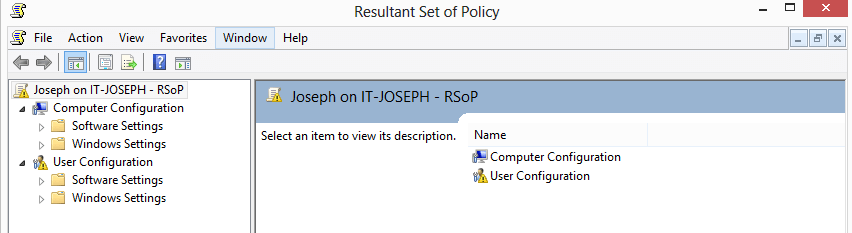
The times had to change. With the complete rebuild of the GPResult command, administrators need to learn a whole new set of commands and actions.
Optimizing GPO Links with PowerShell
Windows Performance Analyzer (WPA) has opened my eyes to a lot of things in the past week! For one, 30 seconds of our 40 second login was being eaten by GPClient. I noticed that we had a lot of GPOs linked to high level OUs even though only a few machines actually needed the policy.
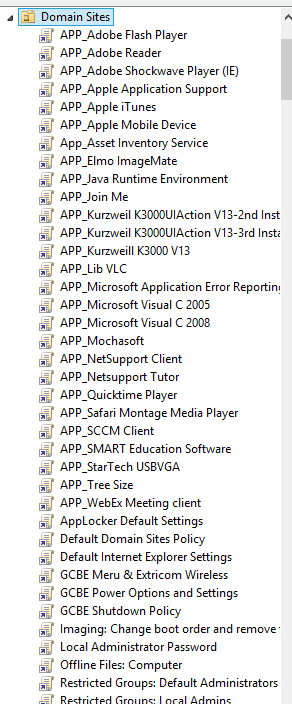
The picture above shows an example. So how can I automatically find out what computers need which policy and then relink the GPO closer? Let’s script it!
Access Denied Active Directory: Deleting Protected Objects
Being the responsible and forward thinking administrator that you are, you enabled Accidental Deletion Protection for your Domain. But now, you are frustrated that you have to jump through a few more hoops just to delete something that you really want to delete! After all, it is kind of silly for the domain administrator to get an Access Denied message in Active Directory!
To fix this, we are going to modify Active Directory Users and Computers and add a “Yes – I am really sure. Please delete this” button.
Prevent Accidental Deletion
Ever have that Oh Sh!t – Stomach Churning – Career Ending moment where you accidentally deleted something you shouldn’t?
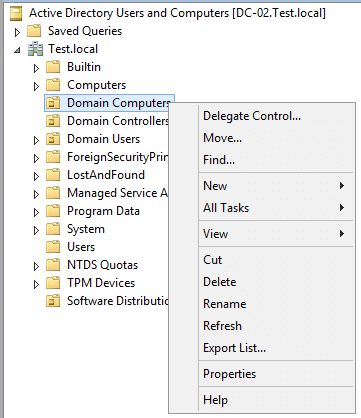
Why is Delete right beside Rename!
Because even Admins make mistakes, it is a best practice to protect every critical object in AD from accidental deletion. How you ask?